
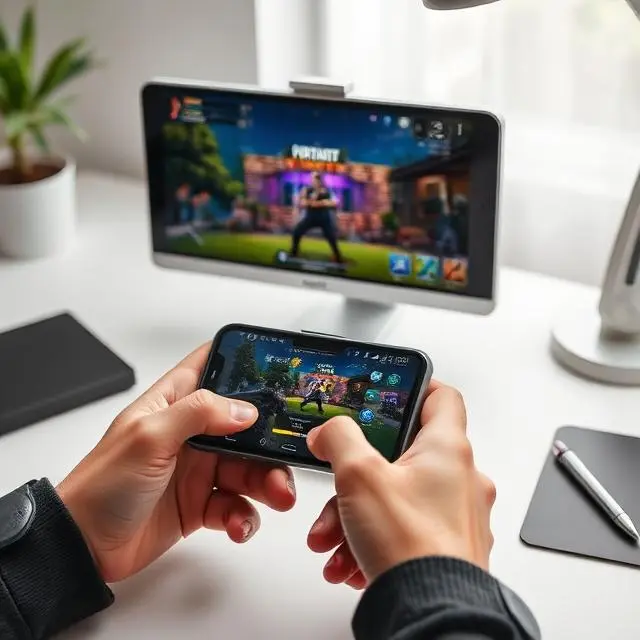
Three years ago I downloaded a PUBG Mobile APK from some random site. Got a virus. Lost two accounts. Phone ran hot for a week.
So yeah. I learned the hard way so you don’t have to.
This isn’t one of those copy-paste guides written by someone who’s never touched the game. I’m a daily player. I’ve been through three phones, four PUBG seasons, and more chicken dinners than I can count. And I’m going to tell you exactly how to get PUBG Mobile APK running on your Android device — safely, quickly, and without the mistakes I made.
Let’s go.
What PUBG Mobile Actually Is (For Anyone Who’s Been Living Under a Rock)
Okay so the basic idea is simple. A hundred players drop from a plane onto an island. Nobody starts with anything. You land, you run, you loot whatever you find — guns, armor, helmets, throwables. Then you try to be the last one breathing.
What makes it hard is the zone. The play area keeps shrinking. Every few minutes a blue circle closes in, and if you’re outside it, you’re slowly dying. So you can’t hide forever. You have to move. You have to fight eventually.
The mobile version — that’s PUBG Mobile — was built from scratch for phones. Krafton partnered with Tencent to do it right. And honestly? They did. The controls feel natural once your thumbs get used to them. No pay-to-win either. You can spend money on skins, outfits, that sort of thing. But the kid rocking a free default skin shoots just as hard as someone in a limited edition outfit.
That’s why people are still playing it years later. It’s fair. It’s intense. And it’s free. Alternative Game
Why So Many Players Look for the PUBG Mobile APK Instead of Just Using Play Store
This question has a few different answers depending on who’s asking.
For me personally, the first time I went APK hunting was because the Play Store update was stuck. Like properly stuck. Not downloading, not failing, just sitting there at 23% like it had given up on life. My whole squad was online. I needed to play. So I grabbed the APK directly and it worked in under ten minutes.
That’s one reason. Here are the others:
Country restrictions. PUBG Mobile has had a rough relationship with certain governments. India banned it for a while. Some other regions have had partial blocks or delays. The APK bypasses that completely.
Your device isn’t “officially” compatible. Play Store hides apps if your phone model isn’t on the supported list. I had a cheap Xiaomi tablet that couldn’t find PUBG in the store at all. Downloaded the APK, ran perfectly.
You want a specific older version. Updates sometimes break things you liked. A sensitivity setup that took you months to dial in. A control layout that just felt right. APK archives let you go back.
No Google Play Services. Some custom ROMs, some Chinese phones, some budget Android forks — they don’t have Google’s ecosystem. APK is the only option.
None of this is sketchy. It’s just flexibility. The APK is the same game. Same servers. Same account. Just a different way to get the files onto your phone.
What’s Changed in the Game Recently (Current Version Breakdown)
I’m not going to give you the full patch notes. You can read those anywhere. I’m going to tell you what I actually noticed as a player.
The anti-cheat system got a real upgrade. I’m not saying hackers are gone — they’re not, they never fully are — but the blatant ones in ranked lobbies are way less common now. About a year ago I was getting killed by obvious wallhackers multiple times a session. These days it’s rare. That shift is real.
Vikendi is back and it’s different now. Tighter building layouts, more snow cover, less open sniping ground. If you like CQC (close quarters combat), Vikendi is your playground right now. If you’re a scope-and-distance player, it’ll frustrate you.
The game runs better on mid-range hardware than it did 18 months ago. Tested it on my friend’s older Redmi device — cleaner frame rate on the latest build than any previous version we tried. Whatever optimization they did on the back end, it’s working.
Gyroscope controls got more granular. You can now tune sensitivity per scope type. That alone changed how I play. My M416 spray control improved noticeably just from resetting gyro settings after the update.
Honest Tips From Someone Who’s Gotten Wrecked Enough Times to Learn
Every YouTube guide tells you the same stuff. Use an M416. Land Pochinki. Loot fast. Crouch when you shoot.
That advice isn’t wrong. It’s just incomplete. Here’s the stuff nobody says out loud.
The First Minute Is a Trap Most Players Don’t Survive
Hot drops — School, Pochinki, Mylta Power — they look fun. They are fun. But if you’re still building your mechanics, landing there means dying in 30 seconds with zero loot and zero experience actually playing the game.
Land somewhere quieter. North of the map on Erangel. Edge of Sanhok. Doesn’t matter where exactly — just somewhere with a few buildings and no 12 people parachuting onto the same roof. Loot up. Get calm. Then rotate into the action when you’re ready.
Once your muscle memory is solid, the hot drops become exhilarating. But right now they’re teaching you the wrong things.
Your Ears Are More Important Than Your Eyes
I figured this out embarrassingly late. Started using headphones properly one day and suddenly I was winning fights I never would have won before.
Footsteps in PUBG Mobile have direction and distance. You can hear which side of a building someone is on. You can hear when they’re reloading. You can hear a door open two rooms away. That information is worth more than a red dot sight in a lot of situations.
Headphones. Every session. Not optional if you want to improve.
Stop Rotating Last
New players always push the zone at the last second, running in panic while the blue closes behind them. That’s where you die. That’s where everyone dies.
Get to the new circle early. Set up on the edge, facing inward. Now you’re the one with position. Everyone rotating in after you is running into your field of view, panicking, not looking at their angles. That’s basically a free kill farm if you’re patient enough.
This one mental shift — rotate early, face inward, wait — probably doubled my top-10 rate within two weeks.
Tap Fire Beats Full Auto Almost Every Time
I still see players holding down the trigger from 80 meters away and wondering why they hit nothing. Recoil on mobile builds fast. Like, really fast. After the third or fourth round the gun is pointed somewhere completely different from where you started.
Short bursts. Three or four rounds, pause, readjust. Tap fire at range. Your hit rate will genuinely shock you once you try it consistently for a few days.
Third Partying Isn’t Cheap — It’s Essential
When you hear a fight nearby, don’t ignore it. Move toward it carefully and wait for it to end. Two squads that just fought each other are both damaged, probably low on med kits, maybe reloading. They’re focused on each other. Pushing at exactly the right moment is one of the highest-value plays in the whole game.
Experienced players do this constantly. It’s not bad sportsmanship. It’s game sense.
Here’s How to Actually Install PUBG Mobile APK on Android
No fluff. Just the steps.
Step 1. Find a trustworthy download source. APKMirror and APKPure both verify file signatures before hosting anything. Use one of those. Avoid any site with pop-ups, redirects, or countdown timers.
Step 2. After the file downloads, go to Settings on your phone. Look for Security or Privacy. Find the option for installing apps from unknown sources and enable it. On Android 8 and above you’ll do this per-app — just allow it for whichever browser or file manager you used.
Step 3. Open your Downloads folder. Tap the APK file. Hit Install. Takes about 30 seconds.
Step 4. First time you open the game, it’ll download another 1–2 GB of assets. Connect to Wi-Fi. Don’t close the app mid-download.
Step 5. Log in with your existing Google, Facebook, or Twitter account. Everything carries over — your rank, your skins, your progress.
That’s it. Fifteen minutes start to finish if your internet is decent.
The Safety Stuff — Please Don’t Skip This Part
I’m putting this section in because I’ve seen real damage happen when people skip it.
Only two sources I trust: APKMirror and APKPure. Those are it. Not Reddit links. Not “official-looking” third-party sites. Not Telegram channels. The main reason sketchy APK sites exist is to package malware alongside legitimate game files. The PUBG wrapper is real but there’s extra code inside you didn’t ask for.
Check the file size. A genuine PUBG Mobile APK is roughly 70–100MB. The rest downloads in-game. If any site is offering you a 2–3GB “full install,” something is very wrong with that file.
Scan before installing. Your phone has a built-in security scanner. Use it. Thirty seconds. Could save you a factory reset.
Don’t touch modded APKs. I know they exist. Aimbot versions. Wallhack versions. ESP mods. PUBG Mobile’s anti-cheat team is not playing around. Permanent bans, no appeals. I personally know two people who lost accounts they’d had for years over “harmless” cosmetic mods. Not worth it.
Lock down your linked accounts. Turn on two-factor authentication for whatever Google or Facebook account you play on. Not because APK installs are dangerous on their own — they’re not when done right — but because phishing sites disguised as APK download pages are very real and very convincing.
Final Word From Someone Who’s Spent Too Many Hours on This Game
PUBG Mobile is genuinely one of the best things available on Android. It keeps improving. The anti-cheat is getting better. The maps keep rotating. Performance keeps creeping up even on older hardware.
The APK route is completely legitimate for the right situations — Play Store being broken, device compatibility issues, region access. Just be smart about the source, scan the file, and follow the steps above.
After that, you’re in. And the game itself will do the teaching.
It took me maybe 50 hours before I started consistently making top 10. My first chicken dinner came at around 80 hours and I genuinely stood up from my chair. Still remember exactly where I was sitting and what phone I was using.
That moment is waiting for you somewhere down the line. Go get it.Sharing App