
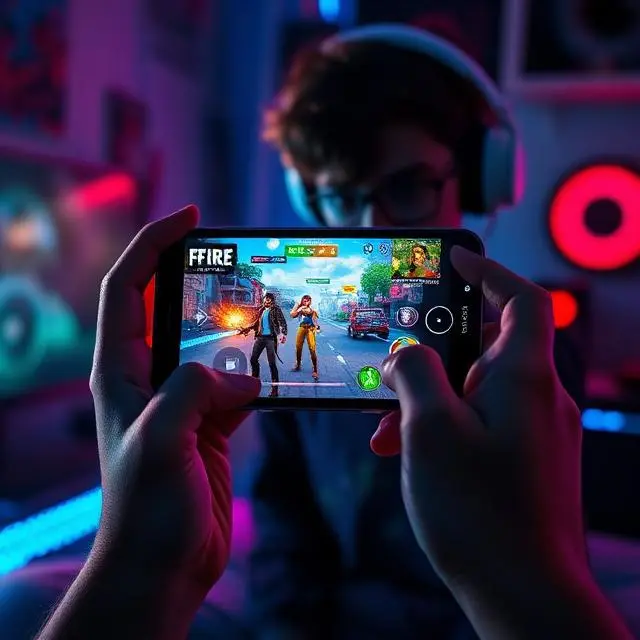
Let Me Save You the Headache I Had
Three hours. That’s how long it took me the first time.
Not because installing Free Fire APK is hard. It’s actually dead simple once you know what you’re doing. The problem was I didn’t. I was clicking random download buttons, sitting through countdown timers on shady sites, and wondering why my phone felt slower afterward.
One of those sites gave my phone a notification virus. You know the type — random alerts popping up even when you’re not using any app. Took me another hour to track down and remove it.
The whole thing was unnecessary. Because the actual process? Maybe eight minutes. Ten if your internet is slow.
Everything in this guide comes from real experience — mine, and a handful of friends I’ve walked through this over WhatsApp. No recycled instructions. No copy-paste from some forum. Just what genuinely works.
Quick Context: What Even Is Free Fire?
Garena launched Free Fire in 2017 and honestly, nobody predicted it would get this big.
The concept is simple. Fifty players land on an island. You scavenge for weapons, armor, and supplies. A shrinking zone slowly pushes everyone together. Last person or squad alive wins. That’s it.
What separated Free Fire from every other battle royale at the time was one thing — it ran on cheap phones. We’re talking 1GB RAM, Android 4.1, devices from 2014. While PUBG Mobile was demanding mid-range hardware, Free Fire worked on whatever your uncle’s old backup phone was.
That’s why it exploded in Pakistan, India, Indonesia, Brazil. Places where flagship phones aren’t the norm. Places where people game seriously on whatever they can afford.
I started on a Tecno Camon with cracked glass. Free Fire ran perfectly fine.
What Does “APK” Actually Mean?
Non-technical answer only, because that’s all you need.
APK is the file format Android uses to install apps. Every single app on your phone — WhatsApp, YouTube, Free Fire — arrived as an APK at some point. When you use the Play Store, Google downloads and installs the APK automatically in the background. You never see it happen.
When you download a Free Fire APK directly, you’re just grabbing that same install file yourself. Same game. Same servers. Same account system. You’re just skipping Google’s storefront.
Think of it like buying groceries. Play Store is the supermarket — convenient, packaged nicely. APK download is going straight to the supplier. Same groceries, different route.
Why People Actually Go the APK Route
Honest reasons. Not theoretical ones.
Play Store stops working randomly. I’ve seen “Error 963” more times than I can count. Sometimes the store just refuses to download certain apps. APK bypasses all of that instantly.
Regional update delays are real. Garena pushes updates to different countries at different times. Sometimes Pakistan or other regions wait 2–3 weeks for content that’s already live elsewhere. The APK version of that update is usually available within days.
Older phones get quietly dropped. Play Store sometimes stops showing apps to devices running older Android versions. The APK itself still installs on those devices perfectly fine.
Some phones don’t have Google services. Certain Huawei models, some budget Chinese brands — they come without the Play Store pre-installed. APK is the only option.
Device compatibility errors that make no sense. I have a friend whose brand-new phone got a “not compatible with your device” error for Free Fire on Play Store. Installed the APK without a single issue. Still don’t know why.
Features Worth Knowing Before You Install
Because understanding what you’re getting into helps you enjoy it faster.
Matches Are Short — That’s Intentional
About ten minutes per round. This was a deliberate design decision by Garena and it’s honestly brilliant. You can fit in a full match during a chai break. PUBG Mobile can eat 25–30 minutes of your life. Free Fire respects that you have other things going on.
The Performance Optimization Is Genuinely Impressive
Games studios don’t usually brag about making their game run on weak hardware. Garena did. Free Fire is engineered to run light — low RAM usage, small install size relative to other battle royales, adjustable graphics that go all the way down to make even 512MB RAM devices playable. That took real work.
Characters With Actual Abilities
This is the part new players often sleep on. Free Fire has 50+ characters, each with a unique active or passive skill. Alok drops a healing aura. Chrono builds a temporary shield. DJ Alok, Skyler, K — each changes your playstyle.
This isn’t cosmetic. A squad with well-chosen characters genuinely has a tactical edge.
The Weapon System Has Depth
Assault rifles, SMGs, shotguns, snipers, pistols, melee — each category has multiple options with different stats. Attachments change how weapons handle. Learning which guns suit your style takes time but makes a real difference.
Events Keep It Fresh
Every two weeks there’s something new. Seasonal events, collaborations, limited-time game modes, login bonuses. The game has kept my attention for years because there’s always a reason to check in.
How to Install Free Fire APK Safely — Full Walkthrough
Do this in order. Don’t skip steps.
Before Anything Else: Clear Storage Space
Free Fire needs around 2GB of free space minimum. Realistically, aim for 3GB so you’re not fighting for room after the game downloads its additional data on first launch.
Go to Settings → Storage. If you’re under 3GB free, delete something — old screenshots, apps you haven’t opened in months, WhatsApp videos that have piled up. Do this first. A storage shortage midway through installation is one of the most annoying things to troubleshoot.
Finding a Legitimate Download Source
Two sites I’ve personally used for years without a single issue:
APKMirror.com — This is run by the same people behind Android Police, a major tech publication. They verify every file before hosting it. The interface is a bit cluttered but the files are clean.
APKPure.com — Larger selection, usually faster to have new versions up. User reviews on each app help flag anything suspicious.
On either site, search “Garena Free Fire.” Look for the publisher name — it should say Garena International I Private Limited. If it says anything else, leave immediately.
Check the file size. A full Free Fire APK runs between 700MB and 1.2GB depending on version. Any site offering the full game in 80MB or promising “compressed” versions — that’s not Free Fire, that’s something pretending to be Free Fire.
Enabling Installation from Outside Play Store
Android won’t install APK files by default. You need to change one setting.
Android 8 and newer: You don’t flip a global switch. Instead, when you tap the APK file, your phone asks which app is requesting the install (your browser or file manager). Tap that app name → toggle “Allow from this source.” The permission applies only to that one app, which is actually safer than the old method.
Android 7 and older: Settings → Security → Unknown Sources → toggle on.
Either way, do this only when you need it. Turn it back off afterward.
Installing the File
Open your file manager. Navigate to Downloads. Tap the Free Fire APK file.
An installation screen appears showing you what permissions the app requests. Standard ones for Free Fire include storage access, microphone (for voice chat), and camera (for certain features). These are normal. Tap Install.
Installation takes 1–4 minutes depending on your phone’s processor. Don’t tap anything, don’t lock the screen. Just let it finish.
First Launch Data Download
This trips up a lot of people. You install the game, open it, and immediately it asks to download more files. This isn’t an error. This is normal.
Free Fire splits its content into the base APK and additional game data (textures, audio, maps). That second chunk can be 400–600MB. Connect to Wi-Fi before opening the game for the first time. It’ll take 10–20 minutes depending on your connection.
After that, you’re fully in.
Logging Into Your Account
Sign in with Facebook or your Garena account. If you played before on a different device or Play Store installation, your account is tied to your login — not your phone. Everything carries over. Diamonds, characters, rank, progress. All of it.
New player? You’ll get a short tutorial before your first real match.
Actual Gameplay Advice That Helps From Day One
Skip the hot drops. I know the map shows everyone landing there. That’s exactly the problem. Clock Tower, Pochinok, Bootcamp — these are where players go to fight immediately. As a beginner, you’ll loot nothing and die in 40 seconds.
Land on the edges. Loot in peace. Learn how weapons feel. Then rotate toward action once you have gear and some confidence.
Watch the circle constantly. Not every minute. Constantly. The single most common way new players die — more than getting outshot — is getting caught in the blue zone. Make checking the map a reflex.
Crouching in fights is not optional. It tightens your bullet spread noticeably. The moment you spot an enemy, crouch. It makes you harder to hit and makes your shots more accurate simultaneously.
Sound tells you everything. Footsteps, reload sounds, vehicle engines — Free Fire’s audio is actually detailed. Play with earphones and you’ll hear enemies through walls. Play on speaker and you’ll be constantly surprised.
Don’t push knocked enemies immediately. When you down someone, their squadmates are likely already moving to their position. Reposition first, watch the angles, then close in.
Mistakes That Catch People Off Guard
Downloading from Telegram links. People share APK files in gaming groups constantly. Some are fine. Many aren’t. You have no way to verify a Telegram file the way you can verify something on APKMirror. Just don’t.
“Mod APK” and “hack APK” files. I want to be very clear about this. Every single “Free Fire mod APK” promising aimbot, unlimited diamonds, or wall hacks is either malware, a data thief, or both. There are no exceptions. Garena’s anti-cheat is also aggressive — accounts caught using mods get permanently banned within days.
Not turning off Unknown Sources after installing. This setting is meant to be temporary. Leaving it on permanently means any APK that somehow lands on your device — from a malicious link you accidentally click — can install without warning.
Installing over a corrupted download. If the download got interrupted or your internet dropped midway, the APK file is probably damaged. Delete it and download fresh. A corrupted APK either won’t install or installs with missing content.
Security — The Stuff That Actually Matters
Scan the APK before installing. Malwarebytes Mobile is free. Takes under a minute. I scan every APK I download regardless of the source. It’s caught suspicious files twice over the years.
Check developer information. On APKMirror specifically, every app shows the signing certificate. For Free Fire, it should match Garena’s signature. The site flags mismatches automatically.
Your password goes nowhere except the official game. No website, Discord bot, or third-party tool legitimately needs your Free Fire login. Anyone asking for it is trying to steal your account.
Watch your phone’s behavior after installing. Battery draining faster than normal, data usage spiking when the app isn’t open, unfamiliar notifications — these are warning signs. If any appear, run a full antivirus scan immediately.
Keep the game updated. Old versions sometimes have security gaps. When a new APK version drops, update it — either through the in-game prompt or by downloading the updated APK from your trusted source and installing it over the existing app. No uninstall needed.
Questions I Get Asked Constantly
Is installing Free Fire APK legal? Yes. APK files are the standard installation format for Android apps. Downloading the official game this way is completely legal. Downloading modified or cracked versions violates Garena’s Terms of Service and is a different matter entirely.
Does my account transfer if I switch from Play Store to APK? Completely. Your account lives on Garena’s servers. It doesn’t care how the game got installed on your phone. Log in the same way and everything is there.
Why does it say “App not installed” when I tap the APK? Almost always one of these: storage is too full, Unknown Sources isn’t properly enabled for the app doing the installation, or the APK file got corrupted during download. Delete the file, check storage, re-download, try again.
Free Fire or Free Fire Max — which APK should I get? Depends on your phone. Free Fire Max has better graphics and effects but needs significantly more power. If your phone has 3GB+ RAM and a decent processor, Max is worth trying. If you’re on a budget device, stick with regular Free Fire. Same servers, same gameplay, lower system demands.
How do I update Free Fire if I installed via APK? The game notifies you when updates are available. You can update through the in-game prompt, or download the new APK from your trusted source and install it directly over the existing version. Don’t uninstall first — you’ll keep all your data.
Final Word
Here’s the honest summary.
Free Fire APK installation is eight minutes of simple steps if you follow them correctly. The reputation it has for being risky comes entirely from people downloading from wrong sources — random sites, Telegram groups, sketchy YouTube descriptions.
Once you’re in the game, give yourself 10–15 matches before judging whether you like it. The first few will be rough — landing wrong, dying early, not understanding the zone. That’s normal. Everyone went through it.
If you run into a specific error or something in this guide didn’t work on your phone, describe exactly what happened in the comments. Model of phone, Android version, error message if there was one. I’ll do my best to help figure it out.