
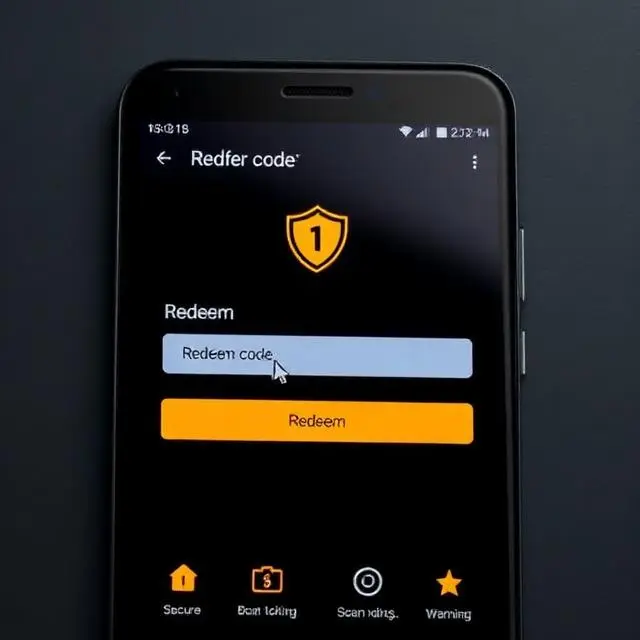
The Code Didn’t Work. Neither Did the Next Site I Tried.
Forty minutes. That’s how long I spent on a random website trying to claim a redeem code for a game I’d just downloaded.
The site had everything. A logo. A search bar. A list of “today’s working codes.” It even had a little counter showing how many codes had been claimed. Very convincing.
I entered my username. Hit submit. A progress bar filled up. Then — surprise — a survey popped up. “Complete this quick verification to unlock your codes.”
I closed the tab.
Opened another site. Same thing happened.
By the time I figured out the right way to redeem codes, I’d wasted nearly an hour and gotten nothing. The actual process? It took me 45 seconds once I knew where to look.
Okay, First. What Even Is a Redeem Code?
Short answer: it’s a string of characters. Usually something like GIFT2025 or NEWUSER50. You type it or paste it somewhere inside an app. The app checks if it’s real. If it is, you get something.
What you get depends entirely on the app.
Games give out in-game currency, characters, skins, or consumable items. Subscription services sometimes unlock a free week or month of premium access. Shopping and cashback apps turn codes into discount credits or bonus points.
The developer creates these codes. They put them in a database. When you enter one, the app talks to that database and confirms it exists, hasn’t expired, and hasn’t already been used on your account.
That’s the whole system. Nothing mysterious about it.
Where Do Real Codes Come From?
This is where most people go wrong before they even start.
They type “redeem codes [app name]” into Google and click whatever comes up. What comes up is almost never the right place.
Real codes come from the developer. Full stop. The paths they use to distribute them vary, but the origin is always the same.
The most common path is social media. Developers drop codes on their official Twitter, Instagram, or Facebook pages during events, milestones, or just randomly on a slow Tuesday. Discord servers run by the developer are another frequent drop point — sometimes exclusive codes only hit Discord and nowhere else.
Email newsletters deliver codes directly to subscribers. If an app gives you the option to subscribe during signup, it’s worth doing for this reason alone.
Partnered content creators — YouTubers and streamers who have official relationships with the developer — receive batches of codes to share. These are time-limited and tied to the creator’s audience. They’re real. They work. But they go fast.
In-app events sometimes include code mechanics. You complete a challenge, unlock a milestone, and the app hands you a code to use on a companion platform or within the app itself.
Customer support occasionally sends codes as goodwill gestures when something went wrong for a user. Not something you can count on, but it happens more than people expect.
The System Behind the Code — Why This Matters
I want to take 30 seconds on this because understanding it saves a lot of frustration.
When you enter a code, your app doesn’t just accept it locally. It sends a request to the developer’s server. The server runs through a checklist:
Does this code exist? Is it still active? Has this specific account already used it? Is the account in an eligible region? Does the account meet any minimum requirements attached to this code?
Every single check has to pass. If one fails, the code gets rejected. The error message the app shows you is the server telling you which check failed — expired, already redeemed, invalid, region-locked.
This is why no third-party website can generate working codes. They don’t have access to the developer’s database. The codes they show you are either copied from somewhere (and already expired), completely fabricated, or pulled from a leak that’s long since been patched.
There’s no workaround. Either the code is in the developer’s database and valid for your account, or it isn’t.
How to Actually Redeem a Code — Android, Step by Step
The exact location of the redemption field varies by app. But the flow is almost identical everywhere.
Step 1. Open the official app. Not a modded version. Not an older APK someone sent you. The one from the Play Store or the developer’s verified site.
Step 2. Log in fully. Make sure you’re in the right account — the one where you want the reward. Codes tied to an account can’t be transferred once used.
Step 3. Find the redemption field. Check these locations in order: your profile page, a “Gift” or “Redeem” option in the side menu, an “Events” or “Promotions” tab, or the settings panel. Some apps put it in unexpected spots — I’ve found it buried under “More Options” more than once.
Step 4. Paste the code. Don’t type it if you can avoid it. Codes are case-sensitive, and certain characters look identical in some fonts. The number 0 and the letter O. Uppercase I and the number 1. One wrong character and the whole thing fails.
Step 5. Confirm and wait. Verification usually takes a few seconds. A success message appears. Some apps play a little animation. Others just quietly update your balance.
Step 6. Go to your in-app mailbox. Most apps don’t automatically deliver rewards. There’s a mailbox or inbox inside the app. Open it. Collect the reward manually. If you close the app before doing this, the reward usually waits — but don’t rely on that.
Six steps. Under a minute when everything goes smoothly.
Why Codes Fail — The Real Reasons
A lot of people give up on a code after one failed attempt and assume it was fake. Sometimes it was. But often the issue is something fixable.
Expired codes are the most common problem. Developers set tight windows. A code from a Monday stream might die by Wednesday. If you’re trying it a week later, it’s gone regardless of how legitimate it was when shared.
Region restrictions catch players off guard. Codes issued for a Korean publisher event might not activate on accounts registered elsewhere. The app checks your account region, not your physical location or your VPN.
App version mismatches matter more than most people realize. If you haven’t updated in a while, your version might not recognize codes issued after the last update. The code is real. Your app just doesn’t know it exists yet.
Character errors happen constantly with manual typing. I typed a code wrong seven times once before I realized I was using a lowercase L where there was an uppercase I. Paste when you can. Zoom in and double-check when you can’t.
Account eligibility is real. Some codes only work on accounts older than a certain number of days. Some are new-user only. Some require a minimum level or purchase history. The conditions are usually listed alongside the code when it’s shared officially.
Already-redeemed codes are permanent. If you used it once, entering it again will always fail. The system remembers.
The Safety Rules I Follow Every Single Time
Learned these the hard way. Passing them on.
The code goes into the official app. Not a browser form. Not a third-party site. Not a Telegram bot claiming to process codes. The app’s own redemption field is the only legitimate entry point.
No login required for code redemption. If any site or bot asks for your password, username, or linked email to “verify” your code — stop. Real code systems don’t need your credentials. They just need the code. Credential requests are always a theft attempt.
No downloads necessary. A legitimate code never requires you to install anything to claim it. If something says “download our companion app to activate your reward,” that’s not a reward, that’s a malware distribution tactic.
Permissions don’t change during redemption. If the app suddenly requests access to your contacts, camera, or location when you go to enter a code, something is wrong. Standard redemption needs none of those things.
Stick to official social media for code sourcing. Bookmark the developer’s verified profiles. Don’t trust search results to surface the right pages — fake accounts mimic real ones and show up in results regularly.
Fake Code Sites — What They Actually Look Like
I want to describe this in enough detail that you recognize it immediately.
The page loads and shows a styled interface — usually with the app’s logo prominently displayed, which is stolen from the official site. There’s a search bar or a list labeled “Working Codes — Updated Daily.” There’s a counter showing how many codes were claimed in the last 24 hours. These numbers are all made up.
You enter your username or game ID. A loading animation plays. A progress bar fills up slowly, stopping at 99% for dramatic effect. Then a modal appears.
“You’re almost there! Complete a quick human verification to receive your codes.”
The verification is a survey. Or a sweepstakes entry. Or a free app download. These all generate revenue for whoever runs the site. Your username wasn’t sent anywhere meaningful. The code generation was never real. The whole interaction was designed to get you to complete that one action.
Some of these sites are sophisticated. They have comment sections with fake testimonials. They have “last updated” timestamps that refresh automatically. They look credible until you recognize the pattern.
The giveaway is always the same: they want something from you before they give you anything. Real codes don’t work that way.
Mistakes I’ve Watched People Make — From Real Community Experience
I spend time in a few gaming Discord servers. Redemption problems come up constantly. The same situations repeat.
Someone posts a screenshot of a failed code. Turns out they got it from a YouTube comment, not the developer’s channel. The code was fabricated by a scam account mimicking the official channel.
Someone tries a code multiple times with different capitalizations, convinced it’s a typing issue. The code is just expired. No amount of trying different versions will fix that.
Someone redeems a code on the wrong account. They have two — one they play actively, one from years ago. The reward goes to the old account. Can’t be moved.
Someone pastes a code with an invisible space character at the beginning or end. Copied from a website with sloppy formatting. The app reads the space as part of the code. Fails every time. Fix: manually delete any invisible characters before and after what you pasted.
Someone tries a creator’s code after the creator’s video is a month old. The code expired within 72 hours of the video going live. Still tries it. Still fails.
Timing and source accuracy prevent almost all of these. Get the code from the right place, use it fast, check for spaces.
When It Still Won’t Work — Troubleshooting That Actually Helps
You’ve done everything right and it’s still failing. Try these in order.
Close the app fully and reopen it. Not minimize — actually close. Swipe it out of your recent apps. Then relaunch. Session-level glitches clear this way.
Check for updates. Go to the Play Store, search the app name, see if an update is sitting there uninstalled. Install it. Try the code after the update completes.
Switch your internet connection. If you’re on Wi-Fi, try mobile data. If you’re on data, try Wi-Fi. Failed server requests sometimes aren’t about the code at all — just a momentary connection issue on one network.
Clear the app’s cache. Settings → Apps → find your app → Storage → Clear Cache. This removes temporary files without deleting your account data or progress. Worth doing if the app has been running for a long time without a fresh cache clear.
Log out and back in. This refreshes your session token with the server. Sometimes a stale token causes verification requests to return false errors.
Check the official community. Before contacting support, search the developer’s Discord or Reddit community. If the code is failing for everyone, it’s a server issue on their end. Happens during high-traffic periods after big code drops.
Contact support if all else fails. Give them the code, your account ID, the error message, and your app version. They can check directly.
App Version — Why Outdated Apps Fail at Codes
One thing people don’t connect until they’ve dealt with it: codes released after your last update don’t exist in your version of the app.
Developers push new code batches alongside updates. The new database entries live in the updated version. If you’re still on an older version, your app queries an older snapshot of that database. The code isn’t there. It fails.
Update the app first. Always. Then try the code.
There’s also a secondary issue — bugs. Older versions sometimes have broken redemption UIs. Input fields that don’t properly send requests. Confirmation buttons that do nothing. These bugs get patched in updates. Running an old version means you might be dealing with a bug that the developer fixed weeks ago.
Auto-update is worth enabling for apps you care about. Or just make a habit: before redeeming anything, check for updates.
What You Actually Get From Redeem Codes
Worth being real about this.
Codes aren’t going to transform your gameplay or give you something massive. What they give is small boosts. A currency pack. A cosmetic item. A week of premium access. Trial features you might want to pay for later.
But free is free. When you know where to look and how to act fast, you pick these up regularly without spending anything. Over time they add up.
The more practical benefit is access. Some codes unlock content that would otherwise require payment. Trying something free before deciding to pay for it is genuinely useful. I’ve subscribed to services specifically because a code let me test them first.
To Wrap This Up
The process of redeeming a code is not complicated. Open the app. Find the right section. Paste the code. Collect the reward.
Everything that makes it feel complicated comes from looking in the wrong places. Third-party sites, fake generators, random Telegram bots — none of these are part of the actual process. They’re noise that wastes your time at best and steals from you at worst.
Official sources. Fast redemption. That’s the whole formula.
Stay skeptical of anything that asks for more than the code itself. No survey, no download, no login request should ever be part of redeeming a reward.
Once you get comfortable with where codes actually live — developer social media, newsletters, partnered creators — the whole thing becomes easy. It stops being a mystery and starts being a simple part of using the apps you already enjoy.