
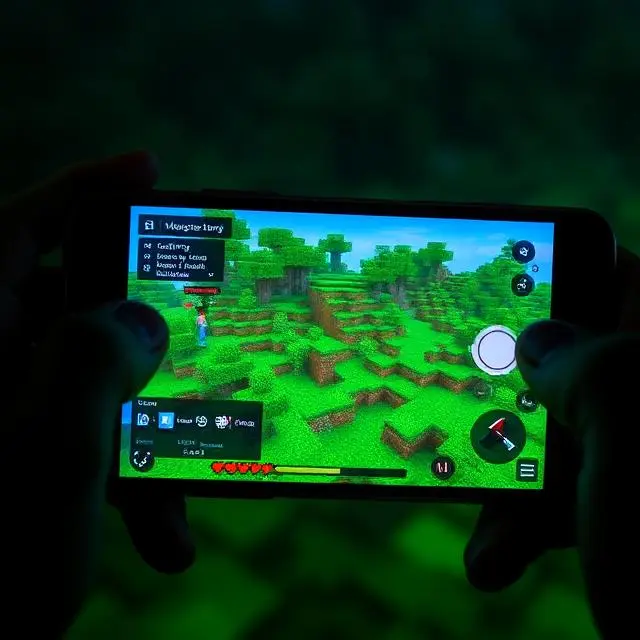
I updated the moment I saw the notification.
Didn’t read patch notes. Didn’t check Reddit first. Just tapped update and waited.
My phone is a mid-range Android. Two years old. Decent processor but nothing special. Previous Minecraft versions ran fine until they didn’t — one update last year introduced chunk loading stutters that drove me crazy for months.
So I was cautious about this one.
Two weeks later I can say this. Version 1.21.72.01 is the smoothest Minecraft has felt on my specific device in a long time. Not perfect. But genuinely better in ways I notice every session.
What This Update Actually Is
Minecraft 1.21.72.01 is a Bedrock Edition maintenance and optimization update.
Not a massive content drop. No new biomes or mobs announced for this specific build. What it focuses on is underneath — stability, rendering, bug fixes, and performance across a wide range of Android devices.
For PC players this might feel minor. For mobile players it matters enormously.
Mobile Minecraft lives or dies on performance. A content update means nothing if the game stutters every time you walk into a new chunk. This version prioritized fixing the foundation first. That’s the right call.
What Actually Improved — My Real Observations
Chunk Loading Feels Different
This is the first thing I noticed.
Walking through my survival world used to produce a specific pattern. Smooth for a few seconds. Brief freeze as new chunks loaded. Smooth again. Repeat.
That freeze pattern is shorter now. Not completely gone on my device. But noticeably reduced. I walked from my base to a village I’d been building toward for several sessions. The journey felt continuous in a way it didn’t before.
Whether this is rendering optimization or memory management improvement I can’t say for certain. What I can say is the experience changed.
Frame Rate in Complicated Areas
I have a farm setup near my main base. Iron farm, crop farm, a few automatic systems running simultaneously. This area used to tank my frame rate noticeably.
Same area in 1.21.72.01 runs better. Not dramatically. But the dips are shorter and less frequent.
For players with simpler worlds the difference might be subtle. For anyone with complex builds or busy areas, it’s meaningful.
Controls Feel More Responsive
Hard to quantify this one. But something about input response feels tighter.
Block placement specifically. There used to be occasional moments where I’d tap to place a block and get a slight delay before it appeared. That delay feels reduced.
Building in creative mode felt noticeably smoother during my first session with the update. Laying down large flat areas of blocks had a rhythm to it that felt right.
My Personal Testing Routine
I tested this across three different world types over two weeks.
Old survival world. Large, explored, lots of active systems. This is where performance matters most to me personally. Results above.
New creative world. Started fresh for building testing. Performance here was excellent throughout.
Multiplayer session with two friends. One on iOS, one on a different Android device. Connection was stable. No desync issues during our session. Better than some previous versions where we’d occasionally see each other’s positions skip.
Battery drain across all three felt similar to previous versions. Maybe very slightly improved during intensive sessions but I wouldn’t stake anything on that observation.
How to Install or Update Safely on Android
Simple and clean. No complications needed here.
If you already have Minecraft installed.
Open Google Play Store. Search Minecraft. If an update is available, the Update button appears instead of Open. Tap it. Wait for download and installation. Open the game.
Your worlds are preserved. Your settings carry over. Nothing gets wiped during a standard update.
If you’re installing fresh.
Open Google Play Store. Search Minecraft. Tap Install. The game costs money — it’s a paid app. Purchase through your Google account. Download and install.
First launch requires an internet connection and Microsoft account sign-in. After initial setup, offline play works without connection.
Storage check before updating.
The current version requires around 1GB for the base install. In-game resource packs and world data add to that. Check your available storage before updating. Tight storage causes installation failures and post-update performance issues.
I clear my Downloads folder and unused apps before major updates. Gives the installation clean space to work with.
Offline Mode — How It Works and Why It Matters
I play offline frequently. Commuting. Travel. When my home connection is unstable.
The offline setup requirement is simple. Sign in once with your Microsoft account while connected. After that initial verification, local worlds load without internet.
Multiplayer requires connection obviously. But solo survival and creative mode work completely offline.
One thing worth knowing. If you haven’t launched Minecraft in a while, it may require a brief re-verification when you reconnect. This is normal. It doesn’t affect your offline worlds or progress.
Offline performance on my device is actually slightly better than online. No background network processes. The game has more resources to dedicate to rendering and game logic.
Device Compatibility — Honest Breakdown
Not every Android device has the same experience with any Minecraft version. Here’s what I’ve observed and heard from other players.
Older budget phones — three or more years old.
These devices run Minecraft but need settings work. Render distance at 4-6 chunks. Graphics on Fast mode not Fancy. Smooth lighting off. Particles reduced.
With those adjustments, playable. Without them, stuttery and frustrating.
Current mid-range phones.
This is my category. Good experience with moderate settings. Render distance at 8-10 chunks. Fancy graphics mostly work. Some frame drops in complex areas.
Current flagship phones.
Excellent performance. Maximum settings. High render distance. The game looks and runs as well as mobile Minecraft can.
Android version requirements.
Minecraft 1.21.72.01 requires Android 8.0 or higher. If you’re on Android 7 or below, this version won’t install. Worth checking before attempting the update.
Performance Settings That Actually Help
These are the changes I make on any new device or after any major update.
Render distance first.
This single setting affects performance more than anything else. Every additional chunk the game renders costs processing power. Start at 8. If performance feels rough, drop to 6. If it feels fine, try 10. Find your device’s comfortable limit.
Graphics mode.
Fast mode is significantly less demanding than Fancy. If you’re experiencing frame drops, switching from Fancy to Fast is the fastest performance improvement available.
Smooth lighting.
Nice visual feature. Not free. Turning it off recovers noticeable performance on mid-range and lower devices.
Close background apps before playing.
Sounds basic. Makes a real difference. Streaming apps, browsers with multiple tabs, social media running in background — all of these compete for RAM. Clear them before long Minecraft sessions.
Restart your phone occasionally.
Not something most guides mention. But phones accumulate cached processes over time. A fresh restart before a long session recovers resources that background processes have been holding.
Common Issues and What I Do About Them
Game crashes immediately after update.
Usually a storage issue. Check available storage. If you’re below 1.5GB free, clear space and try launching again. If crashes continue, uninstall and reinstall from Play Store. Your worlds are stored separately and survive reinstallation.
World takes very long to load.
First load after an update is always slower. The game rebuilds certain cached data. Give it time. If subsequent loads are also slow, render distance is likely too high for your device.
Framerate worse than before update.
Check that your graphics settings didn’t reset to defaults during the update. This occasionally happens and defaults are sometimes higher than what your device runs well at. Readjust your settings manually.
Multiplayer connection drops.
Not unique to this version but worth mentioning. If you’re playing on mobile data rather than Wi-Fi, connection stability varies by signal quality. Switch to Wi-Fi where possible for multiplayer sessions.
How This Version Compares to Recent Ones
I’ve been playing Minecraft mobile seriously for about three years. Tested most major updates as they arrived.
Version 1.21.72.01 isn’t the most exciting update in terms of content. But it’s one of the more noticeable ones in terms of feel.
The chunk loading improvement alone puts it ahead of several recent versions for my specific use case. I play in a large survival world with lots of explored territory. Performance in that environment matters to me more than new biomes I might never visit.
If previous versions felt rough on your device, this one is worth updating to. The optimization work is real.
Tips for Getting the Most Out of This Version
A few things I’ve settled into over the past two weeks.
In survival mode, let the game fully load your render distance before starting to move far. Especially after loading a world for the first time in a session. Moving immediately into unloaded chunks is where most stutters happen.
For building in creative, the new version handles large flat surfaces well. I’ve been working on a big platform project and block placement has been satisfying. No complaints.
Battery habit I’ve developed — brightness down, battery saver mode on during long sessions. Doesn’t affect gameplay noticeably. Extends my comfortable play window by maybe thirty minutes.
Final Thoughts
Minecraft 1.21.72.01 on Android is a solid update.
Not groundbreaking. Not the content drop that changes everything. But it does what maintenance updates should do — it makes the game run better on the hardware most players actually own.
Chunk loading improved. Frame stability improved. Controls feel tighter. The foundation is cleaner.
If you’re a regular Minecraft mobile player, update. If you’ve been avoiding Minecraft on Android because older versions ran poorly on your device, this is a good version to try again.